



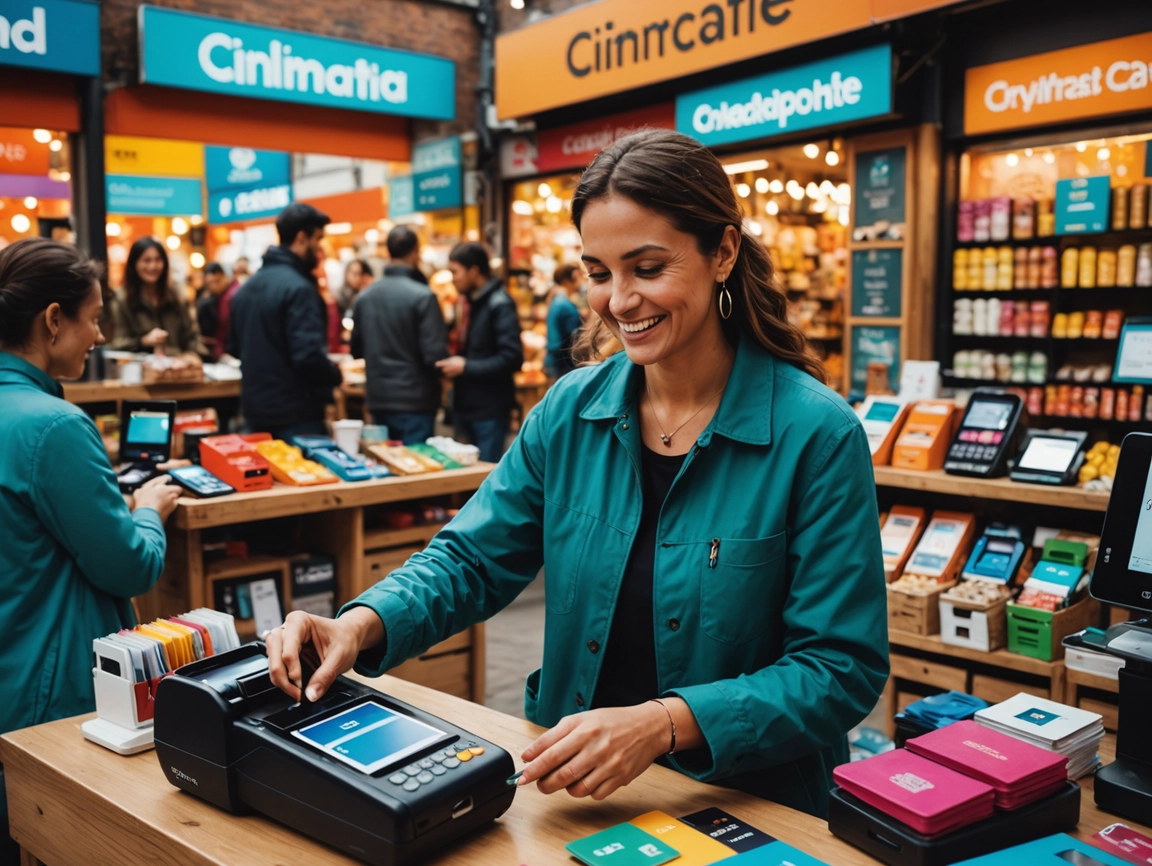
The Importance of Payment Flexibility
Whether you’re selling at farmers markets, craft fairs, pop-up shops, or running a permanent retail location, accepting payments smoothly and securely is critical to your success. The right payment platform makes transactions effortless, builds customer trust, and integrates seamlessly with your online store. The wrong one creates friction, costs you sales, and complicates your bookkeeping. Let’s explore how to choose the best payment solution for in-person sales.

Why Your Payment Platform Matters
Your payment platform affects more than just transaction processing:
- Customer experience: Fast, smooth payments keep lines moving and customers happy
- Sales conversion: Accepting multiple payment types means fewer lost sales
- Inventory sync: Integration with your ecommerce platform keeps stock accurate across channels
- Financial tracking: Unified reporting simplifies accounting and tax preparation
- Professional image: Modern payment technology signals legitimacy and professionalism
- Cost management: Transaction fees add up—choosing wisely protects margins
Essential Features for In-Person Payment Platforms
1. Multiple Payment Methods
Modern customers expect payment flexibility. Your platform should accept:
- Credit and debit cards: Visa, Mastercard, American Express, Discover
- Contactless payments: Tap-to-pay cards with NFC chips
- Digital wallets: Apple Pay, Google Pay, Samsung Pay
- Cash: Still important at markets and fairs (though not processed through the platform)
The more payment options you offer, the fewer sales you lose to “I don’t have that card with me.”
2. Mobile and Portable Hardware
For markets and pop-ups, portability is essential:
- Compact card readers that fit in your pocket or bag
- Wireless connectivity (Bluetooth or WiFi)
- Long battery life for all-day events
- Durable construction for outdoor use
- Works with smartphone or tablet
3. Offline Mode
Markets and events often have spotty internet. Look for platforms that:
- Store transactions locally when offline
- Sync automatically when connection returns
- Don’t lose sales due to connectivity issues
This feature can be the difference between a successful market day and a frustrating one.
4. Inventory Integration
If you sell both online and in-person, inventory sync is crucial:
- Real-time stock updates across all channels
- Prevents overselling products
- Unified product catalog
- Consistent pricing across channels
Platforms that integrate with your ecommerce store eliminate double-entry and inventory headaches.
5. Customer Management
Build relationships with in-person customers:
- Collect email addresses at checkout
- Track purchase history
- Offer loyalty programs
- Send digital receipts
- Build your marketing list
6. Reporting and Analytics
Understand your in-person sales performance:
- Sales by product, location, or event
- Payment method breakdown
- Peak selling times
- Staff performance (if you have help)
- Tax reporting
7. Reasonable Fees
Transaction fees impact your bottom line. Consider:
- Per-transaction percentage (typically 2.4-2.9%)
- Flat fees per transaction ($0.10-$0.30)
- Monthly subscription costs
- Hardware costs
- Additional fees for keyed-in transactions
Top Payment Platforms for Markets and In-Store Sales
Shopify POS
Best for: Businesses already using Shopify for their online store.
Advantages:
- Seamless integration with Shopify online store
- Unified inventory across all channels
- Customer profiles sync between online and in-person
- Accept all major payment types including digital wallets
- Offline mode for markets without reliable internet
- Professional POS app with robust features
- Hardware options from basic card readers to full retail setups
Pricing:
- Shopify Payments: 2.4% + $0 per transaction (with Shopify plan)
- Card reader: $49 (tap & chip) or $299 (retail stand)
- No additional monthly fees beyond Shopify subscription
Disadvantages:
- Requires Shopify subscription
- Best features require higher-tier Shopify plans
- Shopify Payments not available in all countries
Best use case: Shopify merchants selling at markets, pop-ups, or running retail locations alongside their online store.
Square
Best for: Businesses starting with in-person sales or those not on Shopify.
Advantages:
- No monthly fees for basic plan
- Free card reader with account signup
- Extremely easy setup—start accepting payments in minutes
- Robust free POS app
- Works offline
- Excellent customer support
- Built-in invoicing and online payments
- Can integrate with many ecommerce platforms
Pricing:
- 2.6% + $0.10 per tap, dip, or swipe
- 3.5% + $0.15 for manually keyed transactions
- Free magstripe reader (basic model)
- $49 for contactless + chip reader
Disadvantages:
- Slightly higher transaction fees than some competitors
- Integration with ecommerce platforms can be clunky
- Advanced features require paid plans
Best use case: Market vendors, craft fair sellers, or businesses primarily focused on in-person sales.
Stripe Terminal
Best for: Tech-savvy businesses wanting customization and flexibility.
Advantages:
- Highly customisable
- Integrates with custom apps and websites
- Competitive transaction rates
- Developer-friendly with robust API
- Works with various hardware options
Pricing:
- 2.7% + $0.05 per transaction (in-person)
- Card readers: $59-$299 depending on model
- No monthly fees
Disadvantages:
- Requires technical knowledge to set up
- Less user-friendly than Square or Shopify POS
- Limited built-in POS features
- Better suited for developers or custom solutions
Best use case: Businesses with technical resources wanting to build custom checkout experiences.
PayPal Zettle
Best for: Businesses already using PayPal or wanting international flexibility.
Advantages:
- Integrates with PayPal ecosystem
- Available in many countries
- Competitive pricing
- Easy setup for PayPal users
- Accepts chip, contactless, and mobile payments
Pricing:
- 2.29% + $0.09 per transaction (US)
- Card reader: $29-$149
- No monthly fees
Disadvantages:
- Less robust POS features than Square or Shopify
- Limited inventory management
- Fewer integrations with ecommerce platforms
Best use case: International sellers or businesses heavily invested in PayPal ecosystem.
SumUp
Best for: Budget-conscious vendors in supported countries.
Advantages:
- Very low transaction fees in some markets
- No monthly fees
- Affordable card readers
- Simple, straightforward setup
- Works in many European countries
Pricing:
- 1.69% per transaction (varies by country)
- Card reader: $19-$99
- No monthly fees
Disadvantages:
- Limited availability (not in all countries)
- Basic features compared to competitors
- Fewer integrations
Best use case: European market vendors wanting lowest transaction fees.
Choosing the Right Platform for Your Situation
If You Already Have a Shopify Store
Choose: Shopify POS
The seamless integration with your online store makes this a no-brainer. Unified inventory, customer data, and reporting across channels eliminates headaches and provides the best customer experience.
If You’re Starting with Markets/Pop-Ups
Choose: Square
Zero monthly fees, free basic reader, and incredibly easy setup make Square perfect for testing in-person sales without major investment. You can always switch later if you grow into a full ecommerce business.
If You Sell Primarily In-Person
Choose: Square or Shopify POS
Both offer robust POS features. Square if you don’t need ecommerce integration; Shopify POS if you want the option to add online sales later.
If You’re in Multiple Countries
Choose: PayPal Zettle or Stripe Terminal
Both have broader international availability than Shopify Payments or Square in some regions.
If You Need Custom Integration
Choose: Stripe Terminal
The developer-friendly API allows custom integrations with your existing systems.
Hardware Considerations
Basic Card Reader ($0-$59)
Best for: Occasional markets, low volume, testing the waters
- Connects to smartphone or tablet via Bluetooth or headphone jack
- Accepts chip and contactless payments
- Portable and affordable
- Requires your own device (phone/tablet)
All-in-One Mobile Reader ($149-$299)
Best for: Regular market vendors, moderate volume
- Built-in screen and receipt printer
- Doesn’t require separate phone or tablet
- More professional appearance
- Longer battery life
- Can operate independently
Full POS System ($299-$1,500+)
Best for: Permanent retail locations, high volume
- Cash drawer, receipt printer, barcode scanner
- Large touchscreen display
- Customer-facing display
- Professional retail setup
- Handles high transaction volumes
Key Questions to Ask Before Choosing
About Your Business
- Do you already have an online store? Which platform?
- How often will you sell in-person? (Weekly, monthly, occasionally?)
- What’s your average transaction value?
- How many transactions do you expect per event?
- Do you have employees who will process sales?
About Your Locations
- Will you have reliable internet access?
- Are you selling at outdoor markets or indoor venues?
- Do you need portability or a fixed setup?
- Will you sell at multiple locations?
About Your Products
- How many SKUs do you carry?
- Do you need inventory tracking?
- Do you sell the same products online and in-person?
- Do you need to track variants (sizes, colours)?
About Your Customers
- Do you want to collect customer information?
- Will you offer loyalty programs?
- Do you need to send digital receipts?
- Do you want to build an email list?
Cost Comparison Example
Let’s compare costs for a vendor doing $5,000 in sales per month at markets:
Shopify POS (with Shopify Basic plan)
- Shopify subscription: $39/month
- Transaction fees: $120 (2.4% of $5,000)
- Hardware: $49 one-time
- Monthly total: $159 (first month), $159 ongoing
Square
- Monthly fees: $0
- Transaction fees: $135 (2.7% of $5,000)
- Hardware: $49 one-time
- Monthly total: $135 (first month), $135 ongoing
PayPal Zettle
- Monthly fees: $0
- Transaction fees: $119.50 (2.39% of $5,000)
- Hardware: $29 one-time
- Monthly total: $119.50 (first month), $119.50 ongoing
For this scenario, PayPal Zettle has the lowest fees, but if you already have a Shopify store, the $20/month premium for unified inventory and customer data is often worth it.
Tips for Successful In-Person Payments
1. Test Everything Before Your Event
- Process test transactions
- Verify offline mode works
- Ensure battery is fully charged
- Confirm you have receipt paper (if applicable)
- Check that all products are loaded correctly
2. Have a Backup Plan
- Bring a backup card reader
- Have a manual card imprinter for emergencies
- Be prepared to accept cash
- Know how to manually record sales if technology fails
3. Display Accepted Payment Methods
- Show logos for cards and digital wallets you accept
- Reduces customer uncertainty
- Signals professionalism
- Encourages purchases
4. Optimise Your Checkout Process
- Keep your product list organised and searchable
- Use favourites or quick-access for bestsellers
- Practice processing transactions quickly
- Have packaging ready to speed up fulfilment
5. Collect Customer Information
- Ask for email addresses at checkout
- Offer incentives (discount on next purchase) for signing up
- Send digital receipts to build your list
- Follow up after events with thank-you emails
Common Mistakes to Avoid
1. Not Testing Offline Mode
Assuming you’ll have internet at markets is risky. Always test offline functionality before events.
2. Choosing Based on Hardware Cost Alone
A free reader with 3% fees costs more than a $50 reader with 2.4% fees once you process a few thousand dollars.
3. Ignoring Integration Needs
If you sell online and in-person, choose a platform that syncs inventory automatically. Manual updates lead to overselling and customer disappointment.
4. Forgetting About Receipt Paper
If your reader has a built-in printer, always bring extra receipt paper to events.
5. Not Understanding Fee Structures
Keyed-in transactions (typing card numbers) often have higher fees than tapped or inserted cards. Encourage customers to use their physical cards.
The Bottom Line
The best payment platform for in-store and market sales depends on your specific situation. If you already have a Shopify store, Shopify POS offers unbeatable integration and unified operations. If you’re starting with in-person sales or don’t need ecommerce integration, Square provides excellent features with no monthly fees and easy setup.
Prioritize platforms that accept multiple payment types, work offline, and integrate with your existing systems. Don’t choose based solely on transaction fees—consider the total value including inventory sync, customer management, and reporting capabilities.
Start with a basic setup and upgrade as your volume grows. A smartphone with a $50 card reader is perfectly adequate for testing markets and pop-ups. As your in-person sales become a significant revenue channel, invest in better hardware and more robust features.
The right payment platform makes transactions invisible—customers pay easily, inventory updates automatically, and you focus on what matters: building relationships and growing your business.
Affiliate Disclosure: This article contains affiliate links to subscription platforms and tools. If you purchase through these links, we may earn a commission at no additional cost to you. We only recommend solutions we genuinely believe will help you build successful subscription businesses.












